

Pay in Crypto
What is Trust Wallet?
Trust Wallet is a user-friendly self-custody crypto wallet that allows you to securely store, buy, send and receive digital assets across more than 100 blockchains.
It supports millions of cryptocurrencies and NFTs while providing secure access to Web3 applications directly from your smartphone.
Install Trust Wallet on your mobile device
Go to the official Trust Wallet download page and install the application on your smartphone.
Once installed, open the application and tap “Get Started” to begin the setup process.
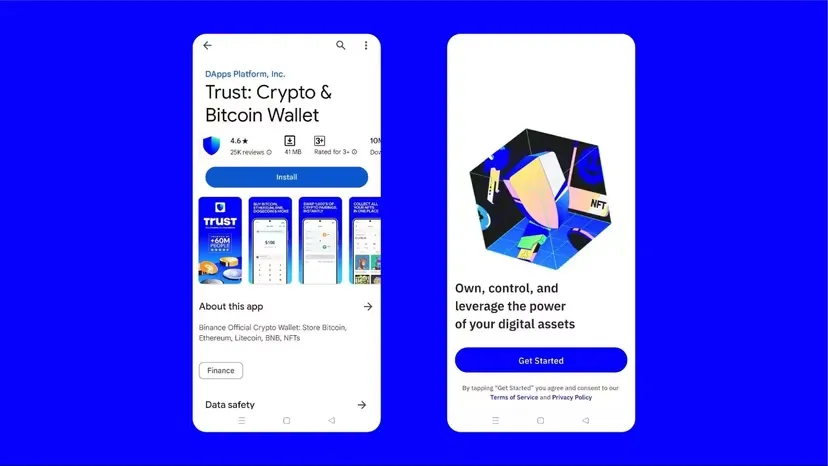
By tapping “Get Started”, you automatically agree to Trust Wallet’s Terms of Service and Privacy Policy.
Select “Create a New Wallet”. Trust Wallet will then ask you to securely back up your recovery phrase.
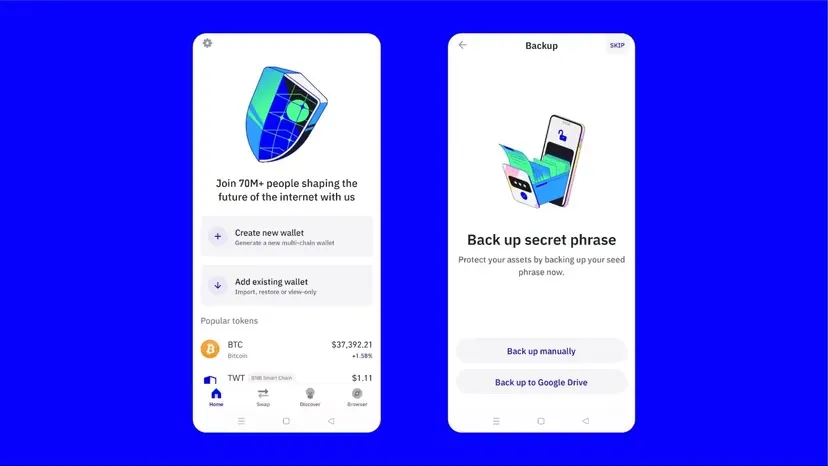
Write down your 12-word recovery phrase carefully and store it in a secure location.
You will later need to confirm several words from your recovery phrase to validate the backup.
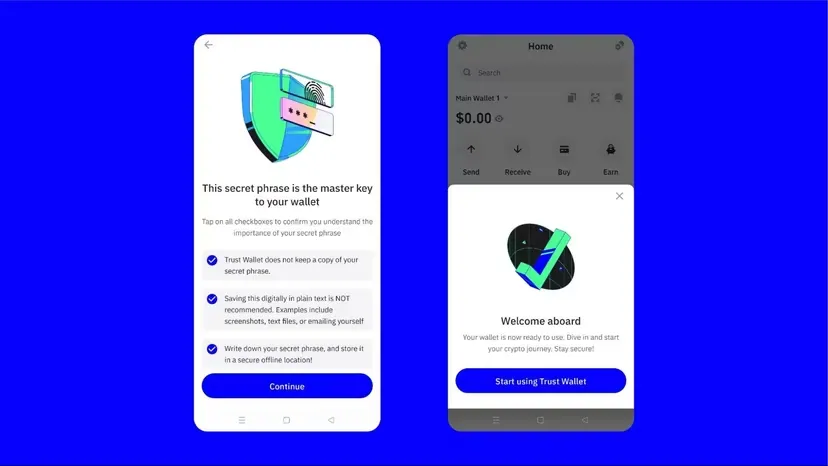
Finally, create a secure passcode or enable biometric protection such as Face ID or fingerprint authentication.
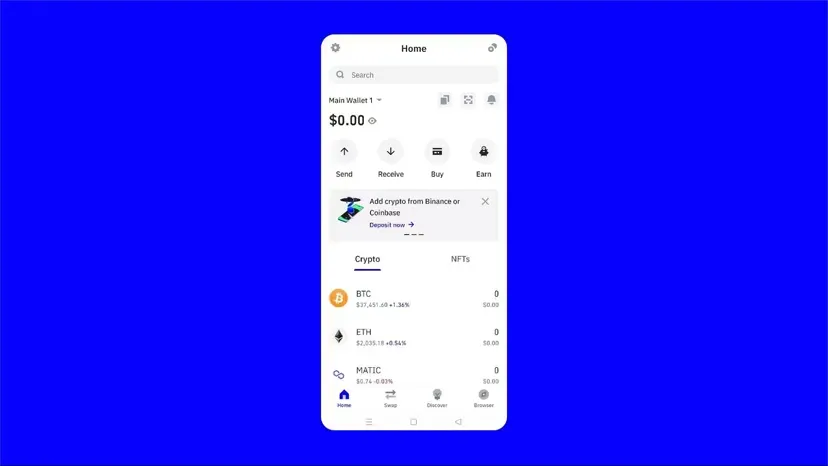
How to buy cryptocurrency
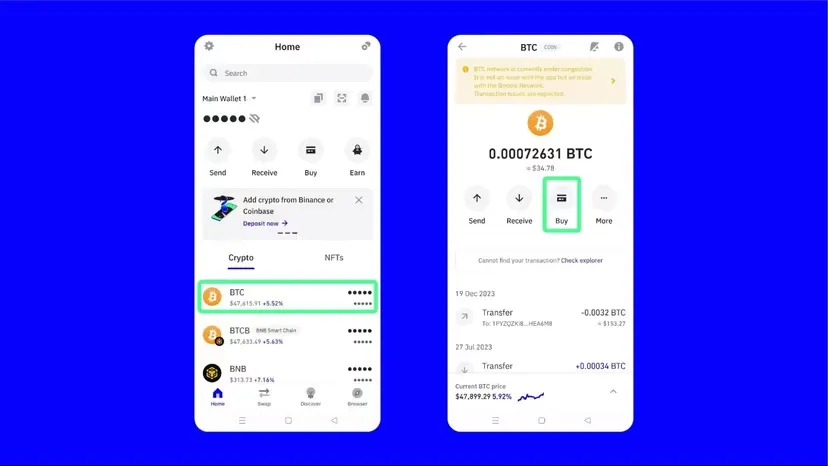
Open Trust Wallet, select the cryptocurrency you want to purchase and tap “Buy”.
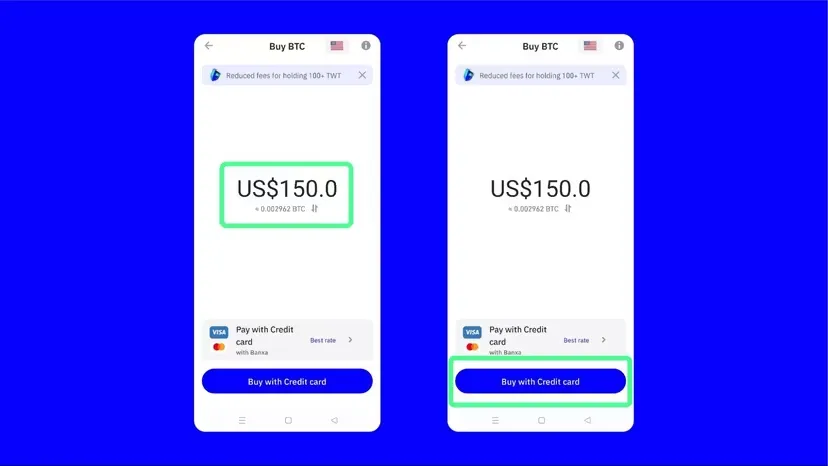
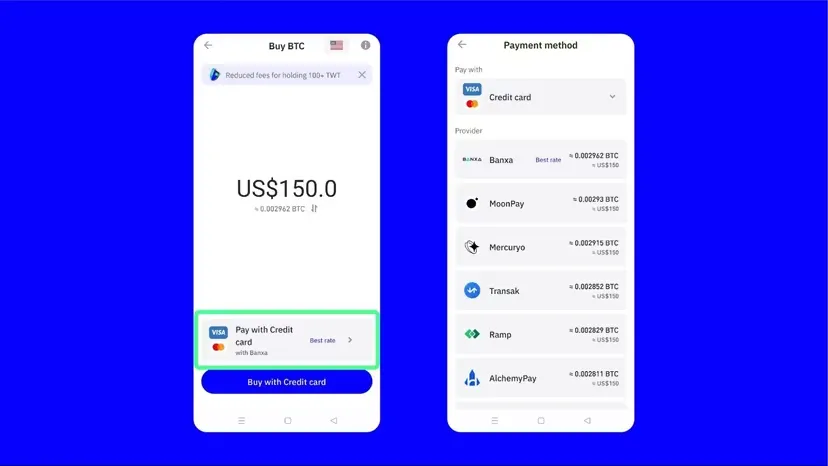
Enter the amount you would like to purchase and continue using your preferred payment method.
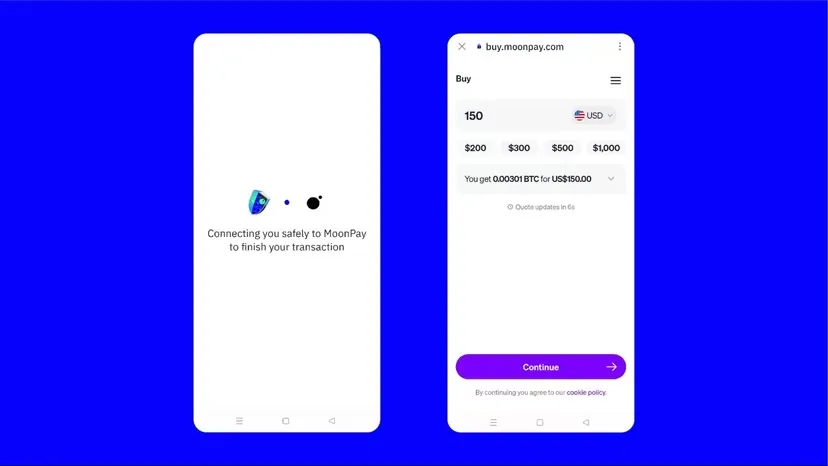
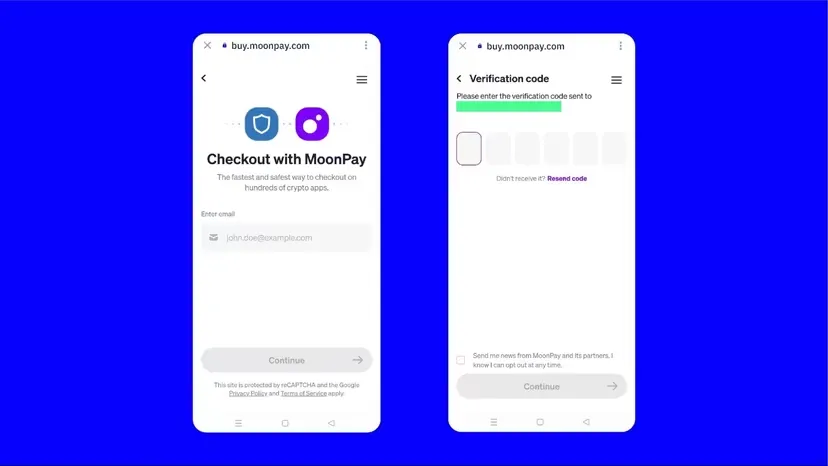
Trust Wallet works with trusted third-party providers such as MoonPay to securely process cryptocurrency purchases.
Complete the verification process, enter your payment details and confirm the transaction.
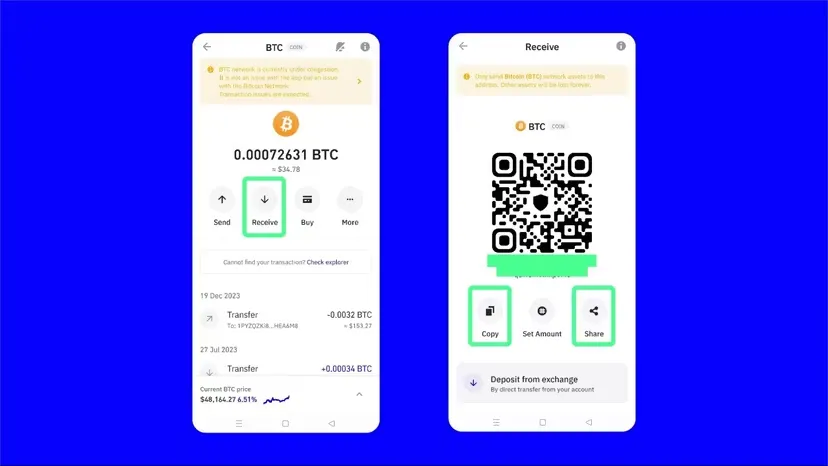
Send and receive cryptocurrency
To send cryptocurrency, select the asset from your wallet and tap “Send”.
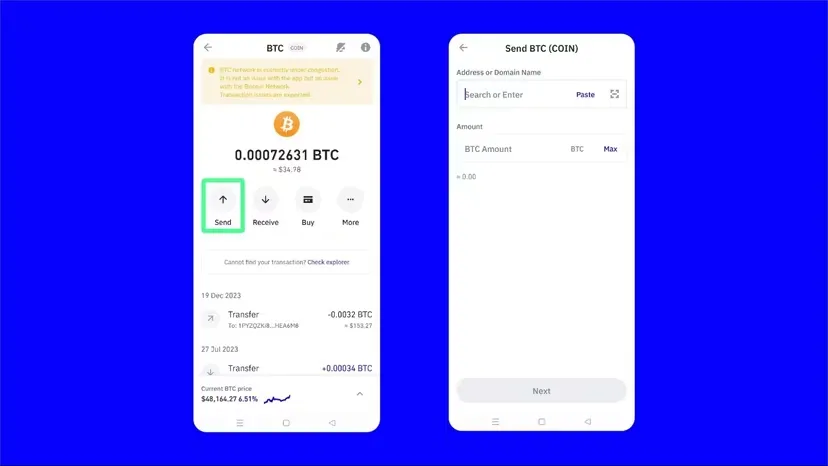
Enter the wallet address carefully, verify the amount and confirm the transaction.
Important Notice
Always use the TRC20 network when sending USDT for GoldenLabs payments. Sending funds using the wrong blockchain network may result in permanent loss of funds.